Docker and the unified stack
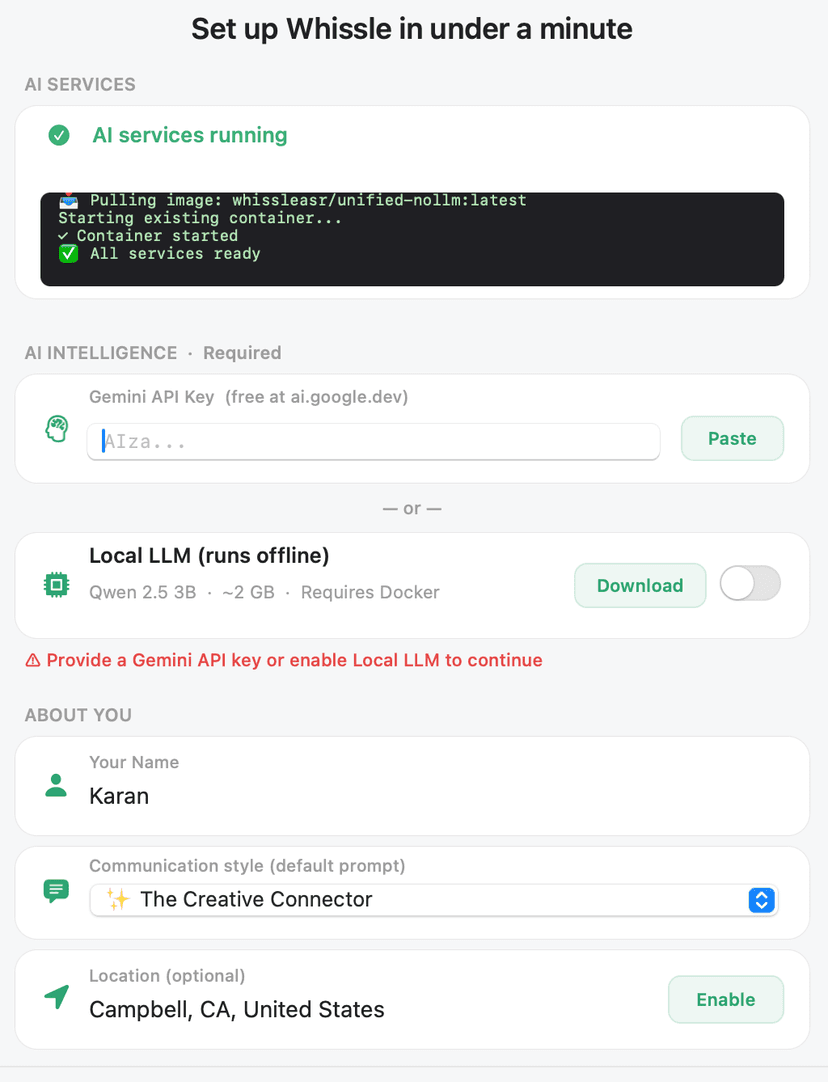
Whissle can use Docker to run local voice recognition — and an optional local AI model — on your Mac. The app can install Docker and pull the image for you, or you can do it yourself.
When Docker is used
Docker runs the unified stack that provides:
- Local speech recognition (ASR) so your voice is processed on your machine
- Optional local LLM so you can keep AI inference on-device with no data leaving your Mac
When you use both local ASR and a local LLM, everything stays on your Mac. For more on privacy and security, see Security & Trust.
One image, one command
The app can pull and run the stack for you (one-click setup). If you prefer to run it yourself:
docker pull whissleasr/unified-nollm:latest
Use whissleasr/unified-nollm:latest for the unified image that includes gateway, ASR, agent, and optional LLM components.
Structure
The Mac app talks to a single entry point; the gateway proxies to the services inside the container.
Subcomponents
Gateway (port 9000)
Single entry point. The Mac app talks to the gateway, which proxies requests to the agent, ASR, and optional LLM services.
ASR (e.g. port 8001)
Speech recognition. Transcribes your voice into text. Runs in the container so all audio stays on your machine when using Docker.
Agent (e.g. port 8765)
Processes requests, live-assist logic, research, and TTS. Coordinates between your voice input and the AI (cloud or local).
Optional LLM (e.g. port 8082)
When you want everything on-device, a local LLM runs in the container. Your data never leaves your machine — see our Security page for what that means.
App can install Docker
During setup, Whissle can install Docker and run the unified stack for you — one-click setup so you don't have to run commands manually.